Phishing is no longer just a badly written email from a stranger claiming you have won a lottery. It has become one of the most common, convincing, and dangerous forms of cyberattack in the modern digital world. Today’s phishing attacks arrive through email, text messages, social media, phone calls, QR codes, fake websites, collaboration tools, and even professional platforms.
The reason phishing is so effective is simple: it attacks people before it attacks technology.
A criminal does not always need to break a firewall or exploit a complex system vulnerability. Sometimes, all they need is one person to click a link, open an attachment, approve a login request, scan a QR code, or share a password. That one moment of confusion can lead to stolen accounts, financial loss, data breaches, ransomware, identity theft, or business email compromise.
Modern phishing defense is not about telling people “do not click links” and hoping for the best. That approach is too weak for today’s threat landscape. Real defense requires a combination of awareness, technology, process, verification, monitoring, and response.
Continue reading to understand how phishing has evolved and what modern strategies individuals and organizations can use to defend against it.
What Is Phishing?
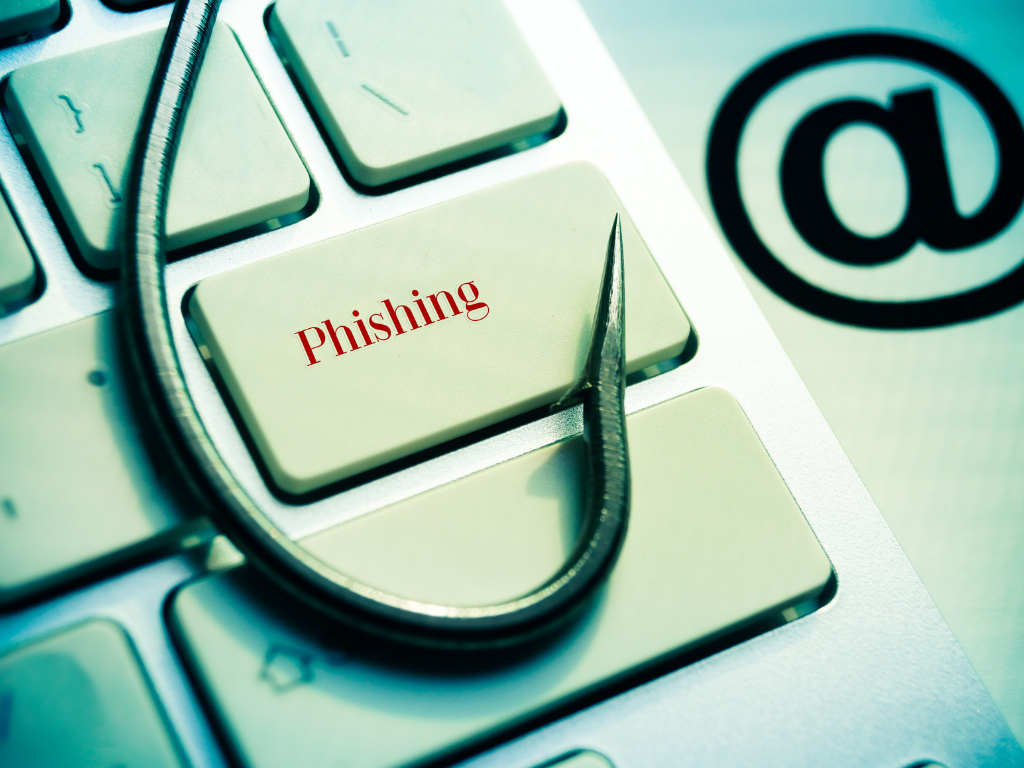
Phishing is a cyberattack where criminals pretend to be someone trustworthy to trick people into sharing sensitive information or taking unsafe actions. The attacker may impersonate a bank, delivery company, employer, government agency, software provider, manager, colleague, customer, or well-known brand.
The goal is usually to steal something valuable. This may include passwords, payment details, personal information, business data, one-time passcodes, or access to systems. In some cases, phishing is used to install malware or begin a ransomware attack.
Phishing works because it creates urgency, fear, curiosity, trust, or confusion. A message may say your account will be closed, your package is delayed, your salary details need verification, your invoice is overdue, or your password must be reset immediately.
The message is designed to make you act before you think.
Why Modern Phishing Is More Dangerous
Earlier phishing emails were often easier to identify. They had poor grammar, strange formatting, suspicious attachments, and unrealistic stories. Many still exist, but modern phishing has become much more professional.
Attackers now use copied branding, realistic email templates, cloned websites, stolen logos, official-looking signatures, and personalized information. They may research the victim before sending the message. This makes the attack feel relevant and believable.
Modern phishing also uses multiple channels. An attacker may first send an email, then follow up with a text message, then call the victim pretending to be from IT support. This multi-channel pressure creates trust and urgency.
Artificial intelligence has also made phishing harder to detect. Attackers can create better-written messages, translate them into local languages, and generate convincing communication at scale. This means users can no longer rely only on spelling mistakes to identify phishing.
The modern phishing message may look clean, professional, and emotionally convincing.
Common Types of Modern Phishing
Email phishing is the most familiar form. The victim receives a fake email asking them to click a link, download a file, verify an account, or take urgent action.
Spear phishing is more targeted. Instead of sending the same message to thousands of people, the attacker researches a specific person or organization. The message may include names, job titles, project details, or internal references.
Business email compromise is a serious organizational threat. Attackers impersonate executives, vendors, finance teams, or business partners to trick employees into transferring money or changing payment details.
Smishing is phishing through SMS or messaging apps. These messages may pretend to be from banks, delivery companies, tax authorities, or service providers.
Vishing is voice phishing. The attacker calls the victim and pretends to be from technical support, a bank, law enforcement, or a company department.
QR phishing, also called quishing, uses malicious QR codes. A user scans the code and lands on a fake website that collects credentials or payment information.
Social media phishing uses fake profiles, direct messages, fake support pages, or malicious links shared through social platforms.
Each method looks different, but the intention is the same: manipulate trust and steal access.
Defense Strategy 1: Build a Verification Mindset
The first defense against phishing is not a tool. It is a habit.
Every user should learn to verify before trusting. If a message asks for urgent action, sensitive information, payment, password reset, or account approval, pause and check.
Do not rely only on the sender name. Sender names can be faked. Check the email address carefully. Look for small spelling changes, unusual domains, extra characters, or unfamiliar extensions.
Do not click links directly from suspicious messages. Instead, open the official website by typing the address yourself or using a trusted bookmark.
If someone asks for payment or confidential information, verify through a separate trusted channel. For example, call the person using a known phone number, not the number provided in the suspicious message.
This simple verification mindset can stop many attacks before technology even becomes involved.
Defense Strategy 2: Use Multi-Factor Authentication
Passwords alone are no longer enough. If an attacker steals your password through phishing, they may still be blocked if multi-factor authentication is enabled.
MFA adds another layer of protection. It may require a code, authenticator app, hardware key, biometric check, or device approval. This makes account takeover more difficult.
However, users must also understand MFA fatigue attacks. In these attacks, criminals repeatedly send login approval requests after stealing a password, hoping the victim will approve one by mistake. If you receive an MFA request you did not initiate, deny it immediately and report it.
For organizations, stronger MFA methods such as authenticator apps, number matching, conditional access, and phishing-resistant security keys should be considered for high-risk users.
MFA is not perfect, but it significantly improves defense when implemented properly.
Defense Strategy 3: Train People Continuously
Phishing awareness training should not be a one-time annual activity. Threats change constantly, and users forget what they do not practice.
Modern training should be practical, simple, and role-based. Employees should see examples of real phishing attempts. Finance teams should be trained on invoice fraud. Executives should be trained on impersonation attacks. IT teams should be trained on credential harvesting and fake support scams.
Training should focus on behavior, not fear. People should know what phishing looks like, how to report it, and what to do if they clicked something by mistake.
A good culture does not shame users for reporting suspicious activity. If people fear punishment, they may hide mistakes. If they feel supported, they will report early. Early reporting can prevent major damage.
Cybersecurity awareness works best when it becomes part of daily work culture.
Defense Strategy 4: Secure Email Systems
Technology plays a critical role in phishing defense. Organizations should use email security controls to filter suspicious messages before they reach users.
Spam filtering, malware scanning, attachment sandboxing, link rewriting, domain authentication, and impersonation detection can reduce risk. Security teams should also configure controls such as SPF, DKIM, and DMARC to help prevent email spoofing.
Attachments should be scanned carefully. Dangerous file types should be blocked where possible. Links should be analyzed before users are allowed to open them.
Email banners can also help by warning users when a message comes from outside the organization. However, banners alone are not enough. They are helpful reminders, not complete protection.
The goal is to reduce the number of dangerous messages reaching users and make suspicious messages easier to identify.
Defense Strategy 5: Protect Accounts and Passwords
Since phishing often targets login credentials, account security is essential.
Users should avoid reusing passwords across multiple accounts. If one website is breached, reused passwords can expose many other accounts. Password managers can help users create and store strong, unique passwords.
Organizations should monitor for leaked credentials and force password resets when accounts are at risk. They should also apply conditional access rules, such as blocking logins from unusual locations or unknown devices.
High-risk accounts should have stricter controls. Administrators, executives, finance users, HR staff, and users with access to sensitive data should receive extra protection.
Account security is one of the strongest barriers between a phishing attempt and a full compromise.
Defense Strategy 6: Use Strong Reporting and Response
Even with good controls, some phishing messages will get through. That is why reporting and response are critical.
Users should have a simple way to report suspicious emails, such as a report phishing button. Reports should go to the security team for analysis.
Once a phishing attempt is confirmed, the organization should search for similar messages across mailboxes, remove them, block sender domains, update detection rules, and check whether any user clicked the link or submitted credentials.
If credentials were entered, passwords should be reset immediately and active sessions should be revoked. MFA should be reviewed. Logs should be checked for suspicious activity.
The faster the response, the lower the damage.
Phishing defense is not only prevention. It is also detection, containment, and recovery.
Defense Strategy 7: Protect Personal Life Too
Phishing does not only target companies. Individuals are also at risk.
A fake bank message, delivery alert, social media warning, job offer, tax refund, or online shopping notice can trick anyone. Criminals often target personal email accounts because they may connect to banking, cloud storage, social media, and password recovery.
Personal users should enable MFA, use password managers, keep devices updated, avoid suspicious links, and verify messages before acting.
Parents should also teach children about phishing in simple language. Children may click fake gaming links, free gift offers, or social media messages without understanding the risk.
Phishing defense begins at home and continues at work.
Final Thoughts
Modern phishing is successful because it understands human behavior. It uses urgency, trust, fear, curiosity, authority, and emotional pressure. That is why defense must be both technical and human.
A secure email gateway is important, but it cannot replace awareness. MFA is powerful, but users must know how to handle unexpected prompts. Training is useful, but it must be continuous. Reporting is necessary, but people must feel safe to report quickly.
The best phishing defense strategy is layered. Verify before trusting. Protect accounts. Train people. Secure email. Monitor activity. Respond quickly. Learn from every incident.
Phishing will not disappear. It will continue to evolve with technology, business habits, and human behavior. But with the right strategies, individuals and organizations can reduce the risk and stop many attacks before they become serious incidents.
Remember, one click can open the door to cybercrime, but one pause can stop it.
To know more about Anand Shinde and his work in cybersecurity, awareness, and books:
https://anandshinde.com/
Have knowledge, experience, or a powerful idea you want to turn into a book? Get your book published with DevOM Publishing:
https://www.devompublishing.com/index.php
If your business needs phishing defense, cybersecurity awareness, email security guidance, or protection against modern cyber threats, visit CyberPrysm:
https://cyberprysm.com/
Phishing attacks try to steal trust. Cybersecurity helps you protect it.